My Channel in Telegram
Your channel runs itself: tell the bot an idea by voice, send a photo or a link — it writes a post in your channel’s style, schedules it and publishes it when you press the button.
Updated: October 24, 2026
How to run it
Engine is our platform: it runs automations on our servers. After payment the automation shows up in your account on its own: walk through the setup wizard step by step — no code and no server of your own — and switch it on. Stats and leads live there too.
What result it gives
Your channel comes out regularly — on schedule, not “when there’s time”. An idea takes half a minute by voice, a ready post in your style arrives by itself, and you just press “Publish”. The app shows what is planned for the week, how the channel is growing and which posts worked — and not a single post goes out without your consent.
How does it work?
You create your own bot — a couple of minutes with @BotFather — and the wizard in your account asks what the channel is about, which language to write in and how often to post. The “Add the bot to a channel” button grants it the right to publish by itself. Forward the bot 3–10 posts from the channel and it picks up your tone, length and emoji.
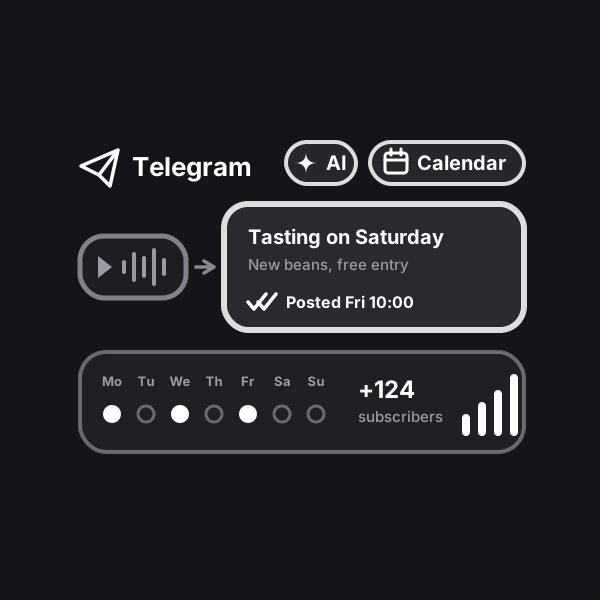
Everything else happens in a regular chat: a voice note “a tasting of the new beans on Saturday”, a photo of a new item, an album of up to 10 photos or a link to an article — in a few seconds a draft in your channel’s style arrives with “Publish Fri 10:00”, “Time”, “Edit” and “Another version” buttons. On Sundays the bot suggests topics for the week, on the eve of every slot it sends a ready post, and two hours before it reminds you if the post isn’t approved yet. Nothing is published without your button.
The “Open” button in the bot launches the app: the week plan, the post queue, drafts and statistics — subscribers by day, who joined and left, reactions and what worked. The same app is in your account on the website. Invite editors: they send ideas and you publish — or they do, if you allow it. Up to three channels in one bot. AI for the texts is already included in the subscription; AI images are optional, with your own OpenRouter key.
How to run it. The simplest way is with us: after payment the automation shows up in your account on its own, you walk through the setup wizard step by step — no code, no server of your own — and switch it on. The first days of running it at Profiforce come free with the purchase (the exact number is in the “What’s included” list); after that it is a subscription you extend once you like it. Prefer not to set it up yourself? Order the turnkey implementation. And the workflow file stays yours forever: the format is open, so you can move it to your own n8n whenever you like — it sits in the archive together with the PDF guide.
Who it’s for
Small businesses that have a Telegram channel but no time to run it: coffee shops, salons, stores, workshops, clinics. Experts with a personal channel — doctors, lawyers, coaches, teachers — who have something to say but no time to sit down and write. Teams where staff bring the ideas and the owner publishes.
What’s included
- A ready automation with a setup wizard and a Telegram app in Profiforce
- The n8n workflow file — yours forever
- Installation guide (PDF)
- 14 days of running it in Engine — free
See how the bot runs a channel
Dictate an idea or send a product photo — the bot writes a draft in your channel style. Press “Publish” and the post joins the plan. The app is real, with a sample coffee shop.
Sample data. Nothing is published or saved in the demo.