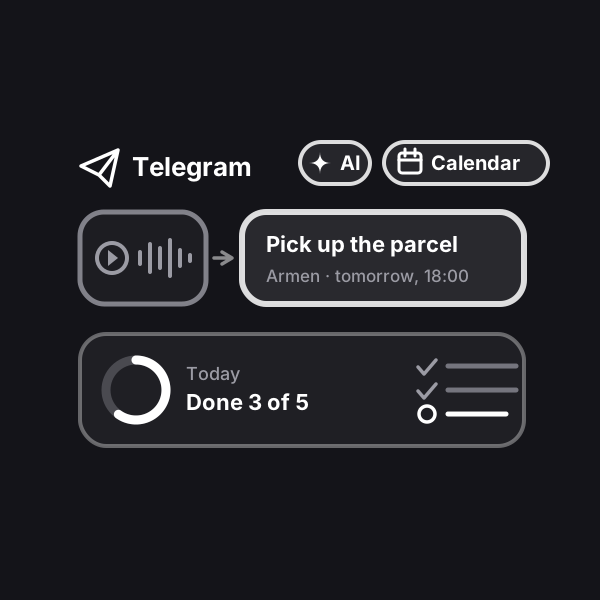
Telegram task manager: tasks from voice messages
A task manager right in Telegram: say “Armen, pick up the parcel tomorrow by six” — the bot records the task with an assignee and a due date, sends a card and reminds. Assignments from your family or work chat no longer get lost.
Updated: October 24, 2026
How to run it
Engine is our platform: it runs automations on our servers. After payment the automation shows up in your account on its own: walk through the setup wizard step by step — no code and no server of your own — and switch it on. Stats and leads live there too.
What result it gives
Not a single assignment gets lost: whatever was said in the chat becomes a task with an assignee and a due date, and reminders arrive on their own. You see what’s done and what’s urgent without asking around in the chat, and finished tasks get marked by themselves — 👌 on the message. Your family and team stay in familiar Telegram — no new apps, no extra buttons.
How does it work?
You create your own bot — a couple of minutes with @BotFather — and the wizard in your account asks only for a name, a mode and a time zone. Add the bot to your family or team group and make it an admin — then just talk and write as usual. The bot spots assignments in voice notes and messages, reacts with ✍ and privately sends the assignee a card with “Got it” and “Done” buttons. It barely posts in the chat — only short reminders for those who haven’t opened the bot privately yet — and skips small talk: every message is first checked by Jev — a fast model that decides “assignment or conversation” and asks the author when unsure instead of guessing.
The bot understands due dates the human way: “on Friday”, “in an hour”, “by lunch”, “every Monday”. No assignee or due date — it asks the author with buttons. A photo of a list or whiteboard becomes one task per line. It reminds with a morning summary, before the due time and when it’s overdue, and marks finished tasks with 👌 right on the message — the author sees at once that it’s done.
The “Open” button in the bot launches the app: what’s left for today, all tasks, who is busy with what and the weekly stats. The same app is in your account on the website. Tasks with a due date show up in Google Calendar or Apple Calendar, and the list exports to Excel.
For a family — everyone sees all tasks and assigns them to each other. For a team — you assign tasks to everyone and see the stats, employees see their own and send requests to colleagues. Voice and assignment recognition (AI) is already included in the subscription.
How to run it. The simplest way is with us: after payment the automation shows up in your account on its own, you walk through the setup wizard step by step — no code, no server of your own — and switch it on. The first days of running it at Profiforce come free with the purchase (the exact number is in the “What’s included” list); after that it is a subscription you extend once you like it. Prefer not to set it up yourself? Order the turnkey implementation. And the workflow file stays yours forever: the format is open, so you can move it to your own n8n whenever you like — it sits in the archive together with the PDF guide.
Who it’s for
Families where assignments get lost in the chat: pick up the kids, book the doctor, pay the electricity — and then “nobody told me”. Small teams and businesses — coffee shops, salons, workshops, stores, field crews — where tasks are handed out by voice in the work chat and later everyone figures out who forgot what. Managers who need to see what’s done without a separate task system nobody opens.
What’s included
- A ready automation with a setup wizard and a Telegram app in Profiforce
- A simplified file for your own n8n (private chat
- sheet
- reminders) — yours forever
- Installation guide (PDF)
- 14 days of running it in Engine — free
See how it works
Send a voice note or a task as text to the shared chat — the bot creates the task, reacts with ✍ and sends the assignee a card. Tap “Done” — and 👌 appears in the chat.
Sample data. Nothing is saved in the demo.