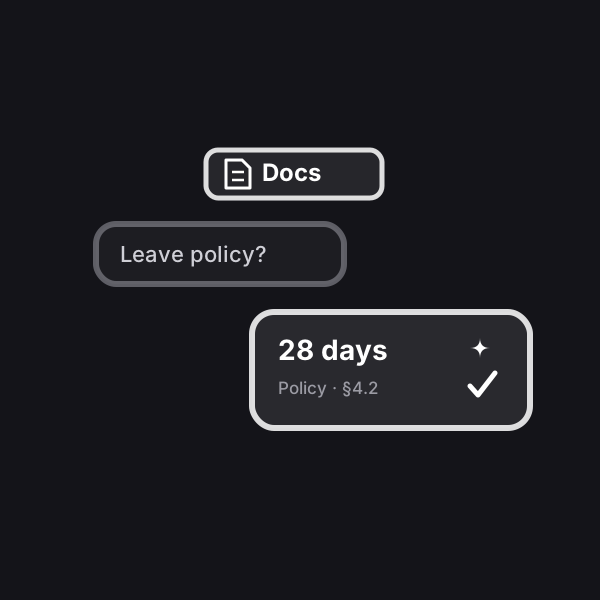
AI Assistant for Company Documents
An AI knowledge base for your team: a chatbot answers employees’ questions from your internal documents — policies and manuals from Google Drive, Yandex Disk, Dropbox, Notion or your website.
Updated: September 27, 2026
What result it gives
Employees get accurate answers from internal documents in seconds — with a reference to the source — instead of hunting for the right file by hand or interrupting colleagues. The knowledge base updates itself whenever you add or change a document in the connected sources.
How does it work?
You connect your working documents — policies, manuals, rules, FAQs: a Google Drive folder, individual Google Docs, Sheets and Slides, a Yandex Disk or Dropbox folder, a public GitHub repository, a website (every page from its sitemap) or Notion via an integration key. The automation reads them itself, splits them into chunks and remembers them. An employee opens the chat and asks in plain language — the bot finds the relevant passages and answers to the point, drawing only on your own material. Add or edit a document and the bot picks up the change on its own: from Google Drive within about a minute, from other sources within a few minutes to an hour. The very first load of a large folder takes longer, as documents are read one by one.
What you will need: links to your sources, with the Google Drive folder shared for reading with the Profiforce address. A folder can hold up to 500 files and up to 3 levels of subfolders, with each file up to 20 MB. No AI key is needed — AI is included in your Profiforce subscription. No Pinecone or Google Cloud setup is needed — the wizard walks you through step by step and checks every link itself. Employees talk to the assistant on a ready chat page via a link, through a button on your website or in Telegram — in private messages and in a work group — and every answer names the document it comes from.
You decide who can ask: in Telegram — your team only or anyone who messages the bot; the chat page — with an access code or for anyone with the link. Whatever the assistant can’t handle — requests to call an administrator and complaints — reaches you by email.
Telegram app: the bot has an “Open” button. Admins see employees’ questions and how the assistant answered; anything the documents don’t cover they answer right from the app — the bot sends the reply to the person, and the assistant remembers it for everyone. Such a question reaches the admins in the bot right away. A new document can simply be sent to the bot as a file. Employees use the app to ask, find documents and see answers to their questions.
How to start: tap “Launch” — the automation is included in your Profiforce subscription, and the first week is free. The setup wizard in your account walks you through it step by step — no code, no server of your own. Need it tailored to your business? Tap “Customize for me”.
Who it’s for
Companies and teams with lots of internal documents — HR, support, operations, franchises — where employees often look up answers in policies and manuals and waste time on it.
What’s included
- A ready automation with a setup wizard in your account
- a Telegram app for admins and employees
Try the app
A real app with sample data — tap, switch, scroll. Nothing is saved.
Try both sides
In the chat you are a café employee: ask the bot about vacation or the grinder — it answers from the documents and names the source. Ask something the documents don’t cover — the question goes straight to the admin. Reply in the app — the employee gets the answer, and the assistant remembers it for everyone.
Sample data. Nothing is saved and no AI is used in the demo.